10 Shopify Mistakes That Kill Sales

Quick answer: The most common Shopify mistakes that kill sales are app bloat slowing the store down, poor mobile optimization, a complicated checkout, low-quality product images, thin product pages, confusing navigation, weak SEO, slow page speed, missing trust signals, and not tracking or testing changes. Most of these are fixable without a full rebuild.
Running ads, posting on social media, and building an email list — and still not seeing the sales to match your traffic — is one of the most common and most frustrating positions a Shopify store owner can be in. The average Shopify store converts only around 1–2% of visitors, which means the majority of your traffic is already leaving without buying. The question isn’t whether your store has friction somewhere. It’s where.
Here are the ten mistakes we see most often, and what actually fixes each one.
1. Running Too Many Apps
Every Shopify app you install adds scripts that load on your storefront — and many of them keep loading even after the app itself has been removed. A store running a dozen apps for reviews, upsells, popups, and tracking often doesn’t realize how much combined weight that adds to every single page load.
The fix: Audit your app stack regularly. Remove anything you’re not actively using, and check whether apps you do use are leaving orphaned code behind after uninstalling. → Related: Shopify App Integration Services
2. Treating Mobile as an Afterthought
Most Shopify stores test primarily on desktop, then check how things look on mobile afterward — which is backwards, given that mobile now accounts for the majority of ecommerce traffic. A store that looks perfect on a laptop but requires pinching and zooming on a phone is losing the majority of its visitors before they even reach a product page.
The fix: Design and test mobile-first, not desktop-first. Thumb-reachable buttons, simplified image galleries, and minimal typing matter more on mobile than almost anywhere else in your store. → Related: Ecommerce UI/UX Design
3. A Checkout With Too Much Friction
Every extra field, forced account creation, or unclear shipping cost at checkout gives a customer one more reason to abandon their cart. This is one of the most common — and most expensive — mistakes, because it loses customers who had already decided to buy.
The fix: Offer guest checkout, accept digital wallets like Apple Pay or Google Pay, and keep the checkout to as few steps and fields as possible. → Related: Conversion Rate Optimization
4. Low-Quality or Insufficient Product Images
Customers can’t touch or try on products online — images are doing all the work that a physical store’s showroom would normally do. A single low-resolution photo, or only one angle of a product, leaves customers uncertain, and uncertain customers don’t buy.
The fix: Show multiple angles, include lifestyle and scale context, and make sure images are compressed for speed without sacrificing visible quality. → Related: Ecommerce UI/UX Design
5. Thin, Uninformative Product Pages
A product page that only lists a price and a short description leaves customers to guess at the details that actually drive a purchase decision — sizing, materials, shipping timelines, return policy. When customers can’t find answers, they either leave to search elsewhere or simply abandon the idea of buying.
The fix: Write product pages around the specific questions customers ask before buying, not generic marketing copy. Include shipping and return information directly on the page, not several clicks away. → Related: Conversion Rate Optimization
6. Confusing Navigation and Site Structure
Navigation that makes sense to the people who built the store often doesn’t make sense to a first-time visitor. Too many menu items, unclear category names, or a search function that returns poor results all quietly push visitors to leave rather than dig for what they want.
The fix: Structure navigation around how customers think about your products, not how your internal inventory is organized. Test your on-site search with real customer language, not just exact product names. → Related: Shopify Theme Customization
7. Weak or Nonexistent SEO
A well-designed store that no one can find is still an underperforming store. Without SEO, a Shopify brand depends entirely on paid traffic and existing audiences — meaning every new customer costs money to acquire, with nothing compounding over time.
The fix: Invest in technical and on-page SEO from the start, not as an afterthought once paid traffic gets expensive. → Related: SEO Services
8. Slow Page Speed
Page speed isn’t just a technical detail — it’s a direct conversion factor. Research from Deloitte and Google found that even a 0.1-second improvement in page speed can boost mobile conversions by more than 8%, while a one-second delay can cut conversions by roughly 7%. Oversized images and bloated app scripts are the most common causes.
The fix: Compress images, remove unused app scripts, and reduce render-blocking code — the same fixes that improve Core Web Vitals also improve conversion. → Related: Shopify Speed Optimization
9. Missing Trust Signals at the Point of Decision
Reviews, return policies, and security badges often exist somewhere on a Shopify store — just not where a hesitant customer needs them. If a first-time visitor has to go hunting for proof that your store is legitimate, many won’t bother.
The fix: Put review counts and ratings directly on product pages, and keep shipping/return information visible without scrolling past the “Add to Cart” button. → Related: Conversion Rate Optimization
10. Not Tracking Data or Testing Changes
Making changes to a store based on opinion rather than data — a new banner here, a different button color there — means you’re guessing at what’s working. Without conversion tracking, cart abandonment data, and A/B testing, it’s impossible to know whether a change actually helped or quietly hurt performance.
The fix: Set up proper analytics and conversion tracking before making design changes, and test meaningful changes against real data rather than assumptions. → Related: Conversion Rate Optimization
These Mistakes Compound
None of these issues exist in isolation. A store with a slow checkout, weak product pages, and no trust signals doesn’t lose a little revenue at each stage — it loses a customer at the first point of friction they hit, and the next mistake never even gets the chance to matter. This is also why fixing multiple issues together often produces a much larger conversion improvement than fixing any single one in isolation.
If your Shopify store has steady traffic but conversions aren’t matching it, the fastest way to find out which of these mistakes is actually costing you sales is a structured audit — not another guess at what might be wrong.
FAQs
Most Shopify stores convert around 1–2% of visitors. A store improving from 1% to 2% effectively doubles its revenue without spending additional money on traffic.
App bloat and slow page speed are among the most common and most damaging, since a one-second load delay can reduce conversions by roughly 7%, and the effect compounds across every page a customer visits.
Yes. Most of these issues — checkout friction, missing trust signals, weak product page content, unused apps — can be fixed individually without a full theme rebuild.
Trending Articles

Ecommerce Trends to Watch in 2026 (For Shopify Brands)
July 10, 2026
Modern UI/UX Principles: A Shopify UX Audit Case Study
July 10, 2026

Shopify SEO Checklist 2026
September 21, 2026Recommended for you
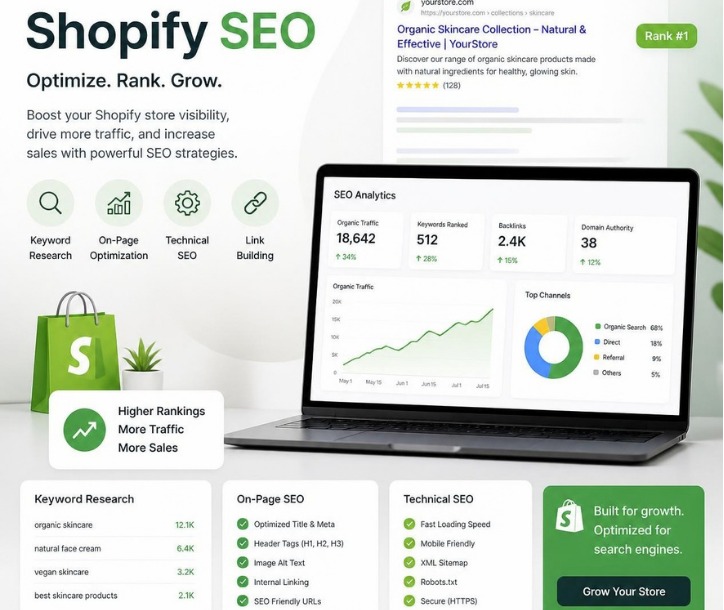
Shopify SEO Checklist 2026
Category: SEO Quick answer: A complete Shopify SEO checklist for 2026 covers…
Read More →
Modern UI/UX Principles: A Shopify UX Audit Case Study
Category: Web Design | July 10, 2026 Many ecommerce businesses focus heavily…
Read More →
Shopify Theme Customization vs. Custom Development: Which One Actually Fits Your Store?
Quick answer: Theme customization means modifying an existing theme (like Shopify’s Dawn)…
Read More →